
Somewhere in every enterprise migration there’s a spreadsheet. It has tens of thousands of rows, one for every page, and a column marked keep, merge or delete that nobody wants to fill in.
Content is tangled up in old layouts, fields have no obvious home in the new system, and nobody wrote down the links and integrations. A better platform won’t make any of that go away. But a bad one makes it worse. When the destination system is hard to work with, your developers spend their time fighting it, your project lead spends theirs explaining delays, and the decisions sit in a queue behind the technical problems.
You want a technical side so predictable that nobody mentions it in status meetings anymore. WordPress gets you there in a few practical ways.
Clarify the destination before the move
On a legacy platform, it can be hard to tell how a page is put together just by looking at it. A product page might show a list of related products, for example. It may only become clear during the move that an editor added those links by hand and the old system has no way to record which products belong together.
With WordPress, developers can decide what information each kind of page needs and how it connects to other content. A product page can have a field where editors select related products. A press release can have its own fields for the release date and press contact. The way WordPress handles these fields is openly documented, so the team can adapt them without relying on a vendor to change a template.
That gives the team a chance to try the new setup on a few pages before moving the rest. If an older press release lists two contacts and the new page only has room for one, the team can adjust it while they’re still working with a handful of examples. Finding the same gap after hundreds of releases have moved means going back through them to check which contacts were left out.
Old layouts stay where they are
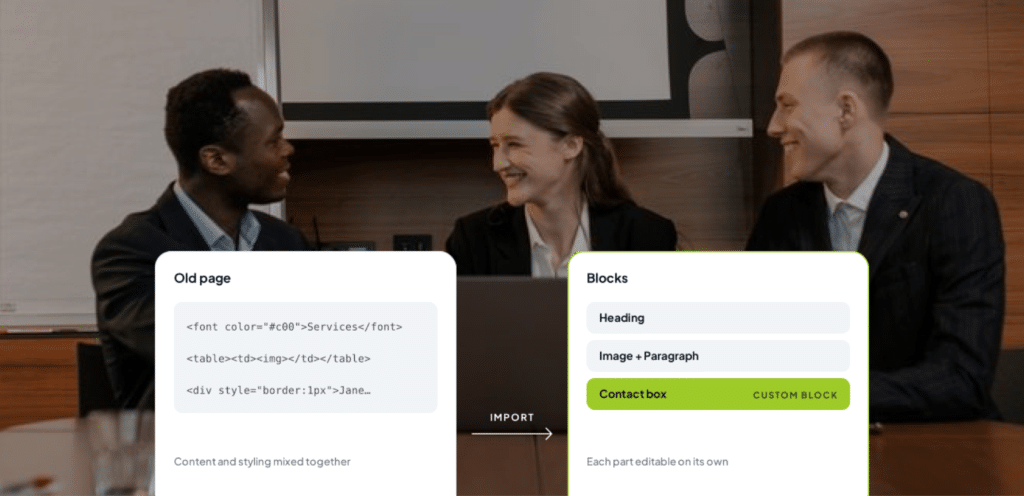
One of the harder parts of moving an older page is separating the content from the code that controls how it looks. A heading might have its font and colour set directly in the text, and a table might be there just to put an image beside a paragraph. All of that code can come across when you export the page.
The WordPress block editor gives headings, paragraphs, images and quotes their own blocks. Developers can set up the import to recognise those parts of an old page and turn them into blocks that editors can work with individually.
For something like a product preview or a contact box, developers can create a custom block with familiar fields. Editors can still update a name, phone number or email address in a contact box, while the new site controls how the box looks.
The migration spreadsheet helps the team decide which pages and features are worth bringing over. If a contact box is still in use, it can be rebuilt once and reused across pages. If it only appears on pages marked for retirement, the team can leave it behind.
Every import run gets better
The worst migrations rely on people copying and pasting. It’s slow and error prone, it’s not scalable, or repeatable, and it just burns people out.
On WordPress, content moves through import scripts built on its command line tools and REST API. Your team runs them on a sample, checks what broke, fixes the script and runs it again. Then again. Dull, yes. By the tenth run the script handles the strange cases and the team trusts the output.
A good import updates content on a second run and never duplicates it. It also logs every page that fails along with the reason, so problems during the migration are easier to compartmentalize, understand and avoid.
Repeatable imports also take the sting out of content that keeps changing. Your editors publish as normal, and just before launch one final import picks up everything that changed since the last run, as long as your old system records when each page was last edited. This makes any content freeze barely noticeable.
Scripts check what people can’t
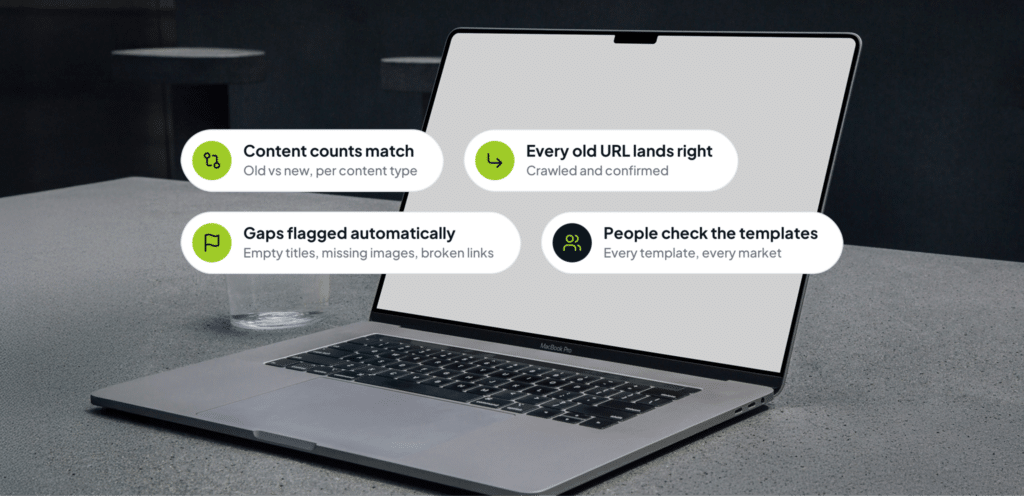
Nobody can review a hundred thousand pages by hand. Well, they probably could. But it would take forever. But because content on WordPress lives in a clear structure, scripts can check it the same way they moved it. A script can compare the count of each content type between the old system and the new one, crawl every old URL to confirm it lands on the right page, and flag any page with an empty title, a missing image or a broken internal link.
People cover what scripts can’t. Content owners look at a handful of pages from every template and every market. They know what a good product page looks like and they can ensure that look, feel and functionality of a page is repeatable.
Your links, rankings and history come with you
Moving to WordPress lets you keep existing web addresses, which helps preserve links and search rankings. When a page needs a new address, your team can set up a redirect and test it before launch so anyone using the old link still reaches the right page.
Images and files can move into the WordPress media library along with details like captions. Your team can also match pages to the people who wrote them, so it’s still clear who wrote what. Once a page is in WordPress, editors can use its revision history to see what’s changed and restore an earlier version when needed.
If you manage several brands or markets, WordPress Multisite lets each one have its own site. Local teams look after their pages, while the central team manages the software, user accounts and rules they share. Your team can also link translated pages across sites so readers can switch languages and stay on the same page.
The next team won’t inherit a mystery
An old platform can be hard to leave when only a few people know how it works. Once they’ve moved on, the next team has to figure out what they changed and why.
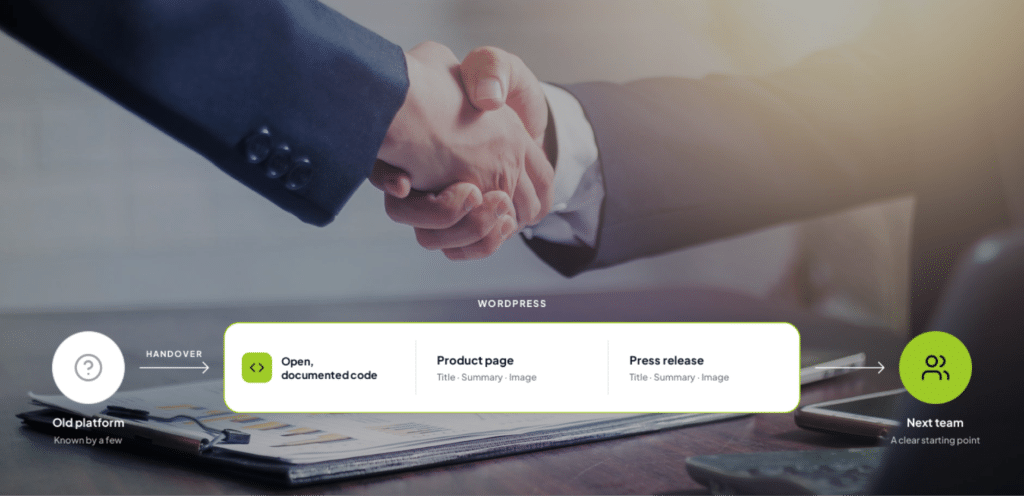
WordPress gives that team a clearer starting point. Its code is open to anyone, and developers familiar with the platform can use that documentation to clearly map what’s going on in the platform.
How you organize the content matters, too. If product pages and press releases each have a clear structure, the next team can see where to find the titles, summaries and images. That makes it easier to move the content again without relying on the vendor that built the site.
Boring is the point
By launch weekend, your team should have seen the new site working with real content. Editors have checked that older articles still read the way they should, important pages open at the right addresses, and download links still work once the files have moved. Launch day is easier when the team has already tested the things readers rely on.
You can view our website migration services page here to find out more about how our teams manage enterprise migrations to WordPress
Failed to submit:
one or more fields are invalid.