
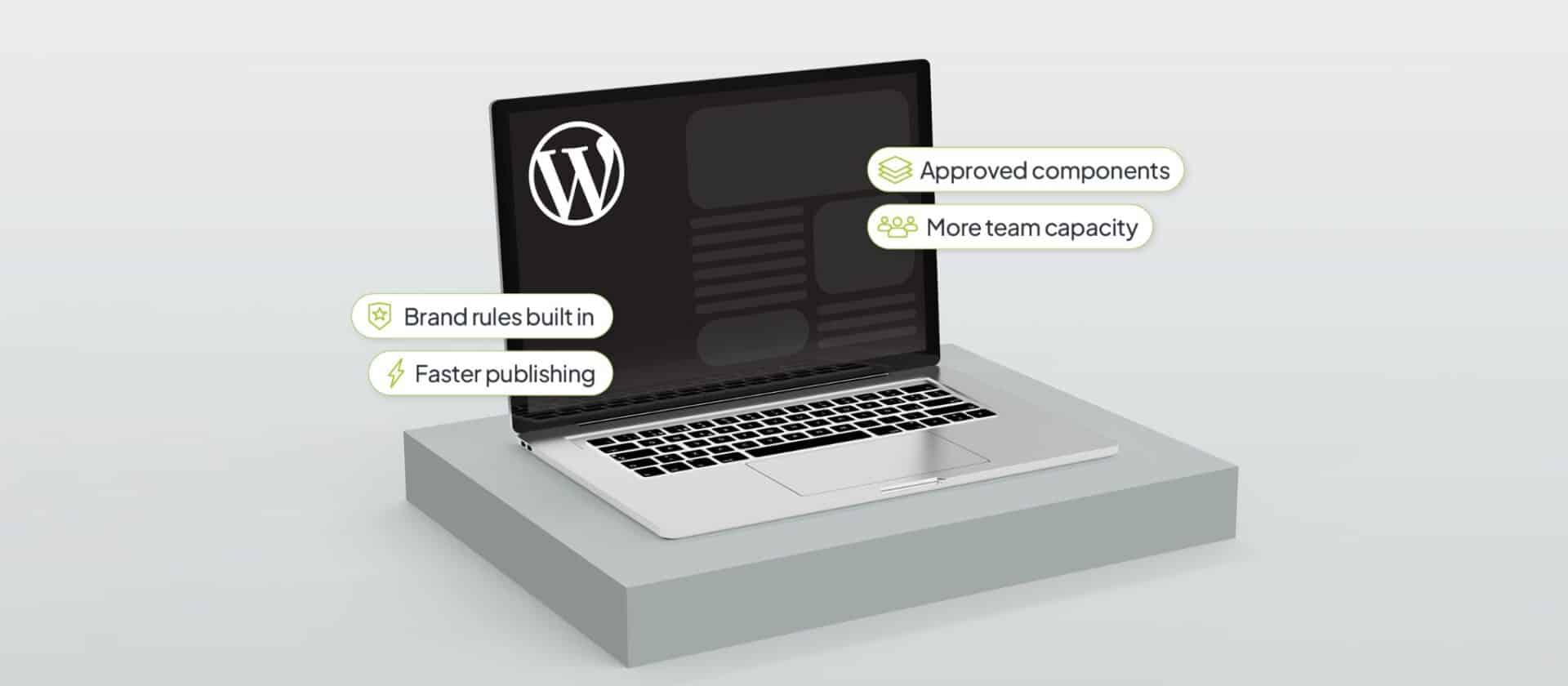
Team size is always a factor when it comes to capacity. But when it comes to marketing and enterprise content management, a lot of the systems can be automated and optimized for efficiency, so team size isn’t entirely or always the reason why a team’s capacity might be straining. The other part is how much additional, or unnecessary, work the website/digital domain creates for the team.
We’ve encountered these challenges hundreds of times from different clients over the years. They have talented, capable team members, and even in companies with larger teams, their current platform creates so much waste that the team is forced into manual bottlenecks and disjointed work. And this is very common with smaller digital teams, but we’ve seen it play out with larger ones as well. If the systems in place cannot enable your teams to be more efficient and capable, it won’t matter how many new people you hire or how many new tools you introduce.
WordPress is a highly capable enterprise platform, especially for smaller, more nimble digital teams at enterprise level. But, it needs to be built to spec. Done well, and the result is a platform that removes work from a small digital team rather than giving it more technology to manage. Here are some of the ways we build WordPress platforms to make the lives of digital teams in enterprises easier.
How Enterprise WordPress Gives Editors More Control
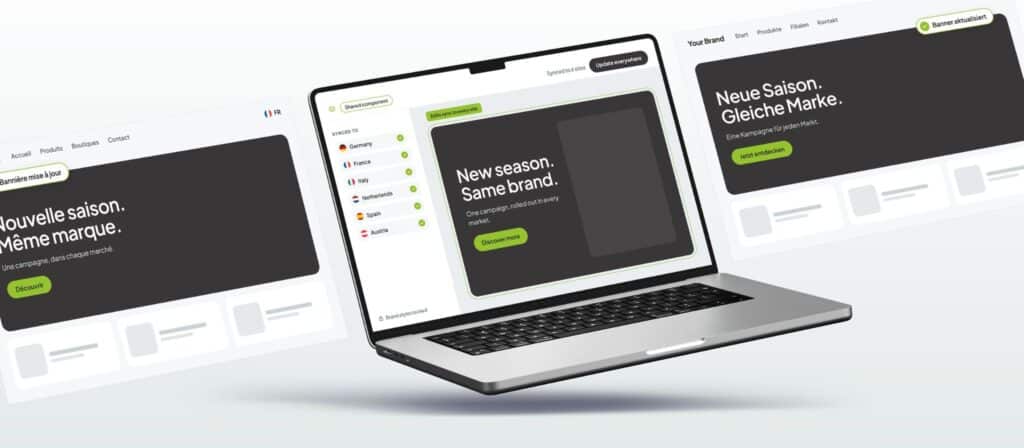
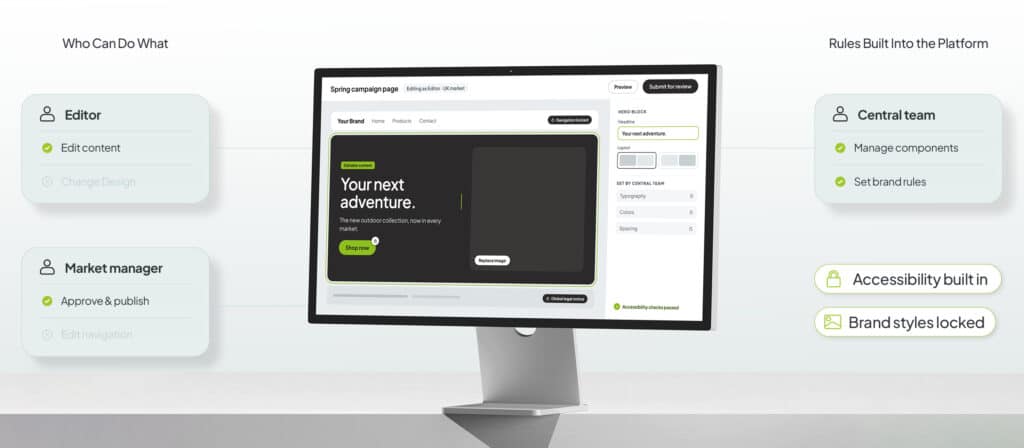
Giving content teams more control doesn’t mean giving everyone access to everything in WordPress. A marketing team might need to create campaign pages, update copy, replace images and rearrange approved sections of a page. But they probably don’t need to change how navigation works, alter the website’s underlying design or install new functionality. A custom enterprise WordPress platform can be built around those specific distinctions.
Developers can create a library of approved building blocks for the content team. An editor can choose a banner, testimonial, product section, form or call to action and put a page together without having to design or code it themselves. This also means that the content teams don’t have to wait for developers to get involved or looped in just to publish a piece of content or create a new form. Good for the content team. Good for developers.
But it doesn’t stop there. Because the choices for control inside those components can also be set and controlled, depending on the specific needs of your teams. An editor might be able to change the content and choose between a few approved layouts, while typography, spacing, accessibility requirements and other design rules can be “set in stone” so that they can’t ever be accidentally changed or manipulated.
It’s similar to giving someone a well-designed kitchen rather than an empty room and a box of tools. They have everything they need to make a great sidh, without having to build the kitchen first. And you can decide how well-equipped, simple, or complex you want the kitchen to be. For small teams within an enterprise operation, this creates a useful division of work and a lot more space to free up capacity. Editors handle content. Developers build and improve the tools editors use. Neither needs to do the other’s job. And neither needs the other in order to move their tasks forward.
Reduce Manual Work with A Custom WordPress Editing Experience
WordPress can offer editors a lot of choices. Although, at enterprise level, more choice isn’t always more useful. For example, if editors have to choose between dozens of similar components, understand technical settings or remember which combinations they are or aren’t allowed to use, things can start to get messy. We want the CMS to enable teams to perform efficiently and capably. So roadblocks caused by the platform should be avoided wherever possible.
A custom WordPress implementation can simplify the experience around the work digital teams regularly do. This could be done in a number of different ways, like removing components that aren’t needed from view, creating ready-made starting points for common page types, and simplifying the language used in different fields and options to avoid unnecessary technical jargon.
This also makes onboarding easier, since new editors don’t need to understand WordPress as a whole before they can work with the website. They need to understand the smaller system that has been created for their organization. The benefit of this kind of customization is that new hires can begin working faster, and existing team members can work more efficiently.
Use Multisite to Manage More Sites Across Your Portfolio
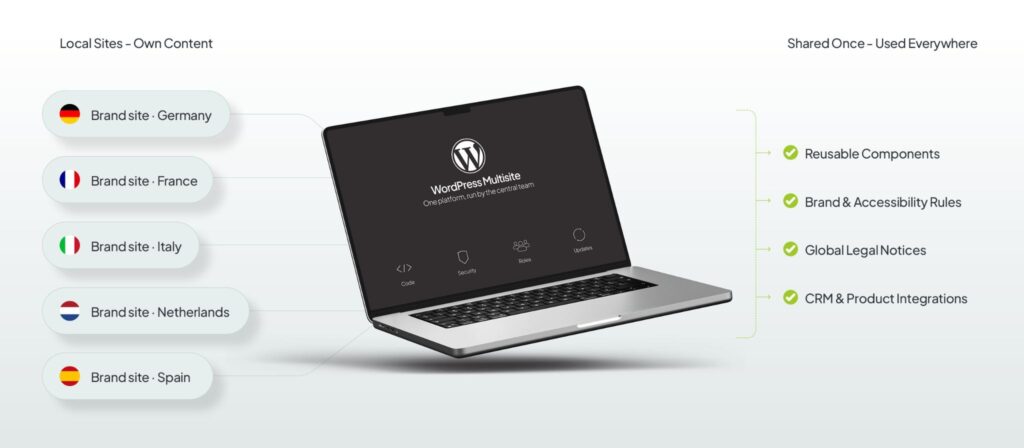
WordPress Multisite is a powerful feature on WordPress that can bring websites for different brands, markets or audiences into one network. What’s great about Multisite is that a smaller central digital team can have complete control over the entire digital network of sites.
An enterprise might use the same basic page components, security setup and core functionality across many websites while allowing each market to manage its own pages and content. That creates a model where central and local teams have different responsibilities. The central team looks after the shared foundation, while local teams work within it.
This can be compared to an apartment building with multiple units: each unit is separate, each unit can be furnished and decorated however the tenant likes. But every resident doesn’t need to install their own plumbing, elevator and heating system. Since that’s all handled by central management.
A WordPress Multisite network can work in much the same way. Individual websites can remain distinct where they need to be, while common technology is managed together. And central teams get to decide how much, and what, gets shared across their network. For a small central team, that reduces the number of separate systems they have to understand and maintain. And it reduces the amount of disconnected work they have to do in order to manage a brand, or multiple brands, across hundreds of sites or regions.
Reduce Repetitive Work with Reusable WordPress Components
Sharing technology shouldn’t mean making every website identical. What we would typically do is look across all the different requirements of each site, and then determine which are genuinely different and which are being repeated.
Things like a product card, location finder, campaign banner or legal notice might be needed across dozens of sites. But instead of creating another version every time, we can build a shared component that teams can reuse across different sites.
And some shared elements can also be connected so that when you make one change the the shared element, it updates everywhere it’s used. While other elements can simply provide the same starting point while allowing each market to change its own content as needed in their region.
Creating a platform that allows teams to decide what is shared, and what’s not, is very important to the success of a central digital team. Not everything should be controlled centrally. A global legal notice might need to remain identical everywhere, while a campaign section might need the same design but completely different content in Germany and France.
By creating a customized system that’s managed from a central platform, WordPress gives central teams the ability to define its rules for sharing rather than treating every piece of content in the same way. Once teams are clear on what’s being shared and what’s not, that problem is solved. No one across the domain has unnecessary access to tools that don’t enable their work. But local teams have enough flexibility to create a platform that works for them, without adding any risk to central governance.
WordPress Reduces Manual Data Management with Custom Integrations
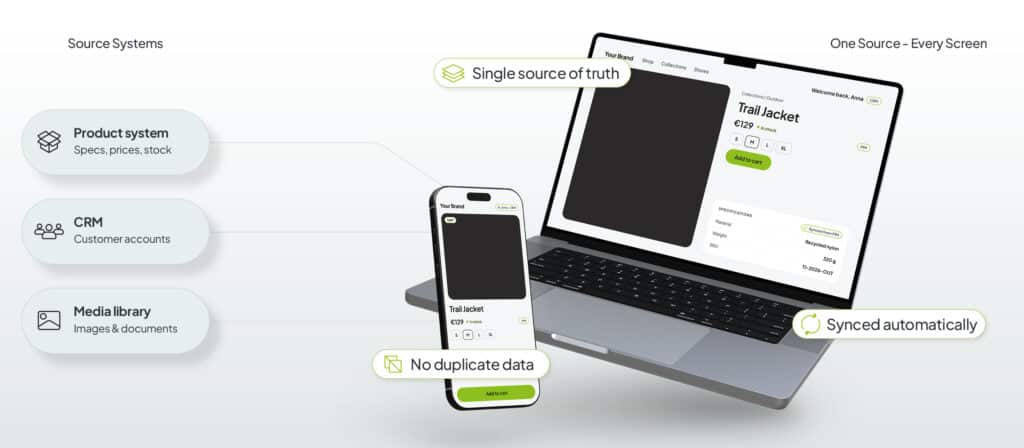
An enterprise website usually depends on information that lives somewhere else. Product information, customer data, documents, images and account information may all be managed by different systems. A useful WordPress implementation doesn’t need to copy all of that information into the CMS.
Instead, WordPress can connect to the systems that already own it. If product information is maintained in a product system, the website can use that information rather than needing to maintain multiple separate copies.
Think of it like using one shared calendar on a phone and laptop. You don’t maintain two calendars and try to remember to update both. Both devices use the same information and any update is synced between the two.
Obviously, this approach requires the central digital team to work with the website developers to decide what WordPress should own. Website copy and landing pages might belong in WordPress, while customer records belong in the CRM and product specifications remain in the product system. Setting and managing clear boundaries make the platform easier for a small team to fully utilize, since it prevents WordPress from being turned into another place where everything has to be maintained.
Use the Platform to Enforce Brand and Publishing Rules
Enterprise websites come with rules. Brand requirements, accessibility standards, publishing permissions and approval processes all affect what teams can put online. When those rules exist only in guidelines and documents, that’s a capacity disaster just waiting to happen.
A custom WordPress platform can handle some of those decisions for a digital team. Editors can work with approved components, users can have different levels of access, and important parts of a page can be protected from accidental changes.
If every button already matches the brand design, an editor doesn’t need to check the brand guide before adding one. If a component already behaves correctly on different screen sizes, the editor doesn’t need to figure out how it should work on mobile. For a small digital team, every rule the platform can handle consistently is one less thing someone needs to check manually, and one more way they can improve internal capacity.
That’s How WordPress Gives Smaller Enterprise Teams More Capacity
WordPress doesn’t give a small team more capacity simply because it’s WordPress. You can have a terribly designed and managed WordPress site, or you can have an intuitive, fast, streamlined one. The additional capacity gains for a digital team come from how the platform gets designed around the needs of the team, and the organization.
Editors need enough control to work independently without being responsible for the design and technical decisions behind the website. Shared components need to remove repeated work without forcing every website to become identical. Integrations need to reduce manual updates instead of creating more systems for the team to manage. And the technical operation of the platform needs clear ownership so it doesn’t become another responsibility for an already busy internal team.
That’s what a custom enterprise WordPress platform can provide. Instead of expecting a small team to adapt to a general-purpose CMS, the CMS can be shaped around the work that team actually needs to do. This is what makes WordPress such a powerful platform for nimble digital teams in an enterprise setting.
For smaller digital teams managing large website estates, additional capacity can be built by adding people, or by removing the work that people shouldn’t have needed to do in the first place.
To learn more about our WordPress solutions for enterprise teams, click here.
Failed to submit:
one or more fields are invalid.