
Summary:
WordPress connects enterprise systems, content, websites, and AI through one governed platform. It reduces manual work, supports secure integrations, and keeps tools replaceable without creating vendor lock-in.
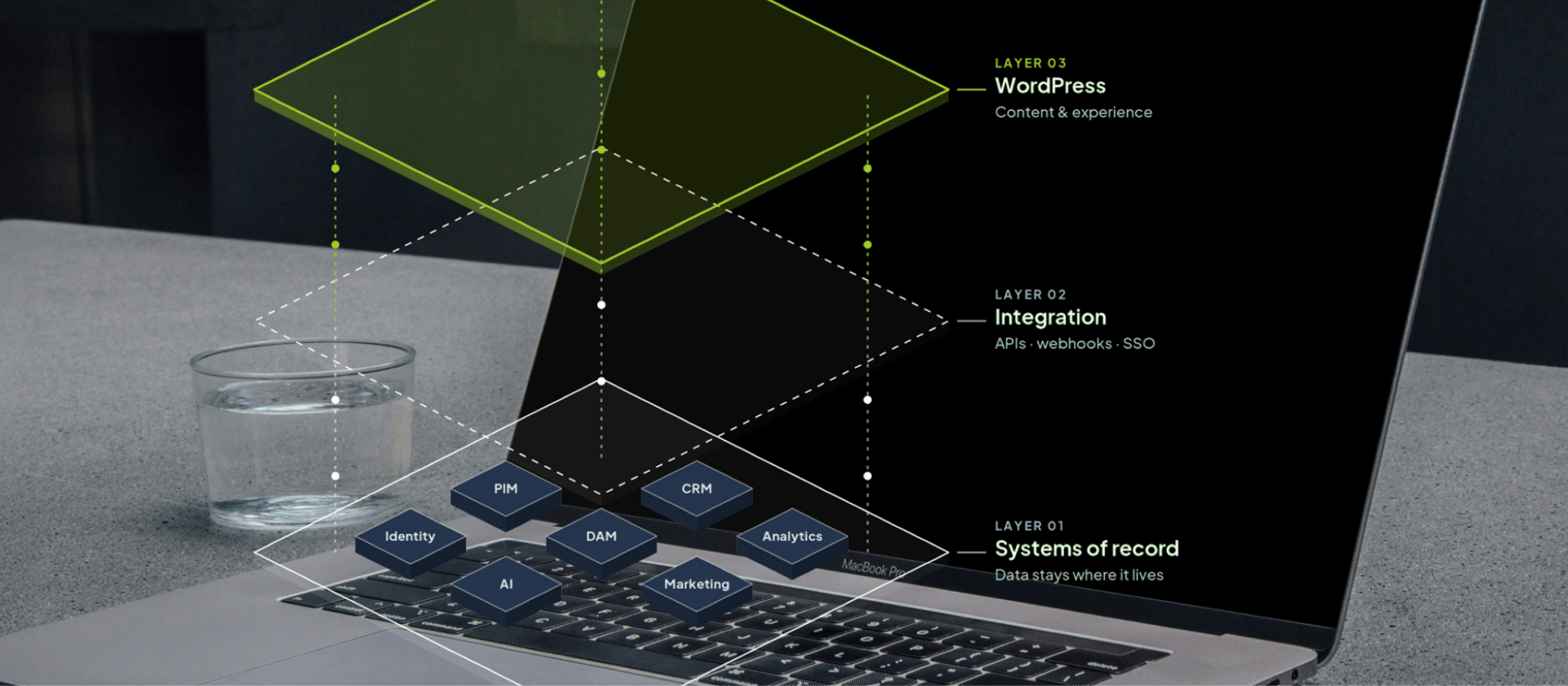
An enterprise website needs to exchange information with systems that manage customer data, products, digital assets, analytics, user accounts, marketing and AI. WordPress at enterprise level can work as the content and experience layer within this setup, connecting these systems without trying to replace or overpower them.
Making those connections work requires clear distinctions about where information lives, which systems need access to it and how that information moves between and across each system. This is how enterprise WordPress becomes an enabler of your wider technology stack without creating unnecessary duplications or dependencies.
Connect WordPress to the technology already in place
One of the main enterprise benefits of WordPress is that it can connect with customer platforms, product systems, digital asset libraries, analytics tools, company login systems, e-commerce platforms, search tools and AI services.
The first step is deciding which system should be the main source for each type of information. Product information, for example, can remain in the product system rather than being copied into WordPress.
WordPress can retrieve that information when it’s needed for the website. The same approach applies to images, customer information and other shared data. This means WordPress has the access to the connected information, without adding duplications to your workflows.
These connections are usually created through Application Programming Interfaces (APIs), which provide a defined way for systems to exchange information. Teams also can decide how often information should update and what happens if a connected system becomes unavailable. This keeps each system focused on its own job while allowing adjacent teams to use and access the information they need through WordPress.

Integrate AI into WordPress without rebuilding the existing platform
AI can be connected to WordPress in much the same way as other external services. WordPress can send specific information to an AI service. After it receives the result, it brings them back into the existing workflow for teams to utilize.
A content team, for example, could select approved content and request a summary or translation. The AI service processes the content and returns a draft for review, while the original content, permissions and approval process remain in WordPress.
These powerful AI integrations in WordPress can support tasks such as:
- Drafting and editing
- Summarization and translation
- Content search and discovery
- Repetitive publishing tasks
- Retrieving approved information
- AI assistants connected to specific WordPress functions
WordPress is also introducing tools such as the Abilities API, AI Client and MCP Adapter to provide clearer ways for AI applications and agents to interact with WordPress functionality. Teams can start with specific tasks rather than giving AI broad access to the platform.
This makes it easier to control what information is shared, assess the results and decide where human approval is required. It also improves overall site governance and enables greater compliance for cross-market organizations.
Control what AI can access and do on WordPress
While most organizations are scrambling to find new ways to integrate AI tools and applications into their day-to-day operations, access controls and governance must be maintained at all times. AI should only have access to the information and actions required for its task. A translation tool may need selected content, for example, but the permission to publish it or change website settings can be withheld so you never deal with rogue instances of AI tools doing something they shouldn’t.
WordPress permissions and workflows can be used to create these boundaries across entire digital domains. An AI assistant could search approved content and prepare a draft while an authorized user remains responsible for publishing it.
Teams also need to know what information is being sent to an external AI service and whether that service is allowed to process it. Instead of giving AI general “access to WordPress,” the integration can define the individual content and actions available to it. This makes WordPress an ideal web solution for teams that want to utilize the full capabilities of new AI models, without risking compliance infractions.
Access controls enable teams using WordPress to manage their tooling better
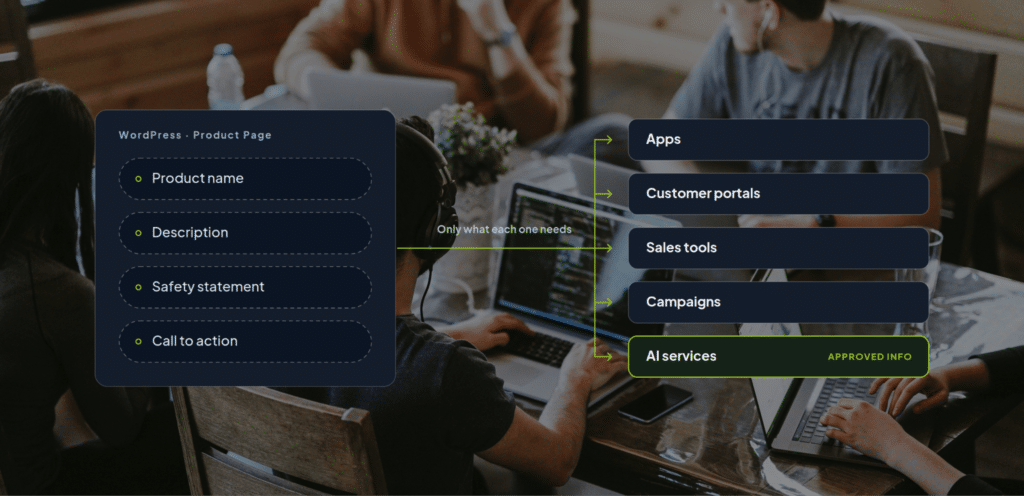
Content managed in WordPress can also be used across apps, customer portals, sales tools, campaigns and AI services. To make that possible, important information can be stored as clearly defined pieces in your website, rather than only as complete web pages.
A product page, for example, might contain a product name, description, safety statement and call to action. Storing those elements separately allows another system to request only the information it needs. This is often called structured content. It allows teams to manage information once and make the approved version available across different channels.
It also supports AI integrations. Instead of asking an AI service to interpret an entire page, WordPress can provide specific information with a clear purpose, such as an approved product description or safety statement.
WordPress Multisite let’s teams manage many websites from a single shared WordPress platform
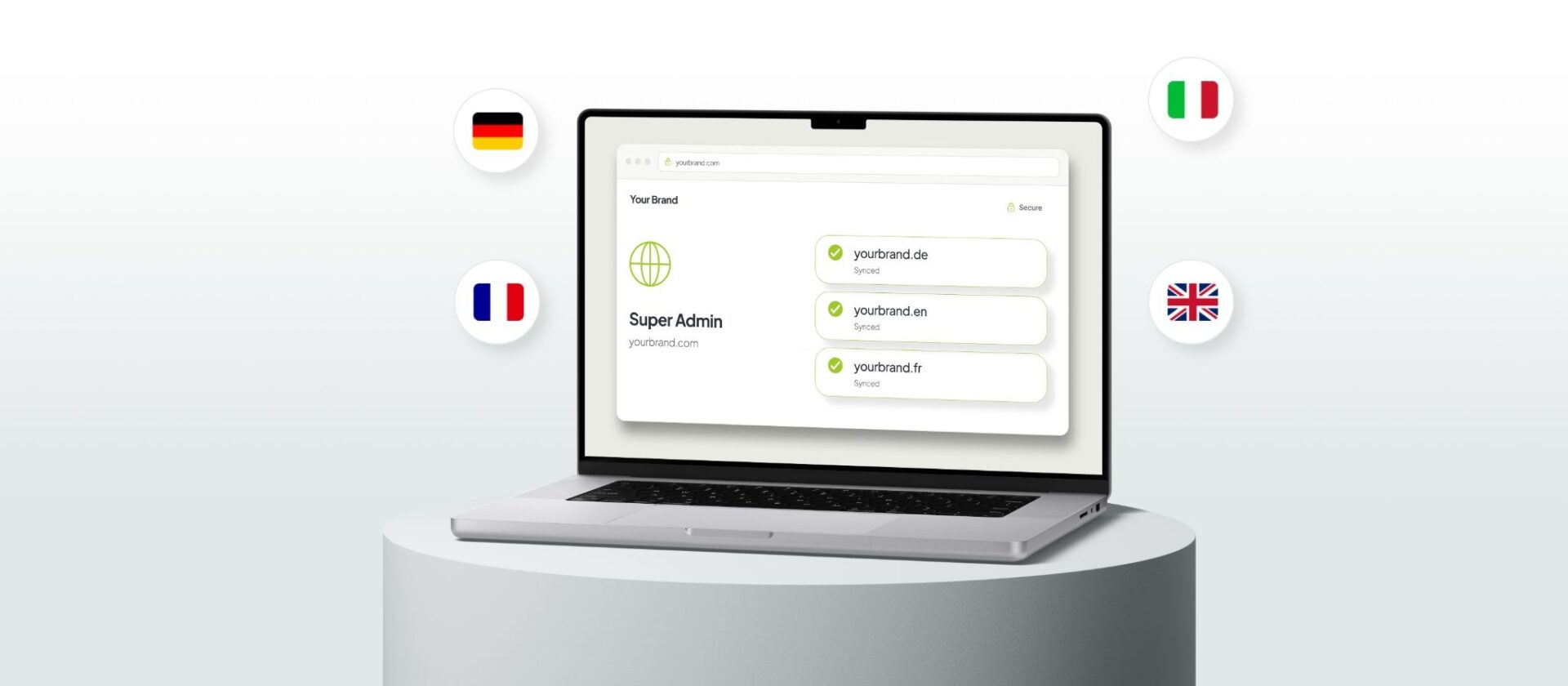
WordPress Multisite allows multiple websites to share one WordPress network while keeping their own domains, content, languages and local settings. Teams can decide what should be shared centrally and what should remain under local control. Security settings, company login, common design elements and integrations can be managed across the network while individual teams manage their own content.
This feature makes WordPress an ideal choice for large, multinational organizations running or managing hundreds of websites across different regions and languages.
The same approach can be applied to integrations as well. Instead of connecting a digital asset library or AI service separately to every website, the connection can be built once and made available to the sites that need it. This reduces repeated development and maintenance without forcing every website to operate in the same way.
AI on WordPress reduces manual work between systems
Integrations are most useful when they remove manual handovers between systems. If editors currently download approved images from a digital asset library and upload them into WordPress, those assets can instead be made available directly in the publishing interface. Product information can come from the system that manages it, while company login systems can control access to WordPress without separate accounts.
Teams can identify integration opportunities by looking for tasks where people repeatedly copy, upload, re-enter or check the same information across systems. AI can support tasks that require more than transferring information. It can summarize a document, prepare a translation or help an editor find approved content before returning the result to the existing workflow for review.
WordPress allows individual tools to remain replaceable for better digital sovereignty
Connections should be designed in a way that prevents dependency. If you replace one service, it shouldn’t require rebuilding the wider platform. This way, each system can have a clear responsibility and exchange information through defined connections, without becoming a bottleneck via vendor lock-in.
This separation is particularly useful for AI applications, since a different model or provider can be introduced without changing the underlying WordPress content or publishing process. The same principle applies to search, analytics, digital asset management and other external services. Keeping these responsibilities and connections separate makes it easier to change individual technologies as requirements change.

WordPress allows governance to be built into connections
Teams need to know which system contains the official version of information, who is responsible for each connection and what happens when a connected service isn’t available. And access to said information should also match the purpose of the integration. A service that retrieves published content doesn’t need access to drafts, user information or unrelated website settings. When it comes to improving AI connections and implementations without risking governance, teams should define:
- What information AI can access
- Which services can receive data
- What actions AI can perform
- Who can use AI features
- Where human approval is required
- How AI-created content and actions are recorded
Mission critical integrations should also be monitored so teams can identify failures or unexpected results and respond without unnecessarily disrupting the website. These rules keep a connected platform understandable and manageable as more systems are added to it.
WordPress can be built around the technology that enterprise teams already use
At Syde, we build enterprise WordPress platforms to work within the wider technology environment of an organization. That means understanding which systems are already in place, where information needs to move, which workflows need to be preserved or improved, and where WordPress can simplify the connections between them.
That approach also extends to AI. We help organizations connect AI capabilities to WordPress in controlled, practical ways, with clear boundaries around data, permissions, workflows and human approval.
The goal is an enterprise WordPress platform that works with the technology an organization already depends on and leaves room for what comes next. Systems can change, new integrations can be added and AI capabilities can develop without making the CMS itself another source of lock-in.
Related Articles
-
Exploring the Key Motivations for Enterprises to Move to WordPress
Moving an enterprise website to a new content management system is rarely a change made for its own sake. So what actually pushes an enterprise to make that move?
-
Multi-market compliance: what to require from your CMS
Managing multi-market becomes a lot harder when you’re dealing with fragmented systems across markets. Here’s what you should require from your CMS.
-
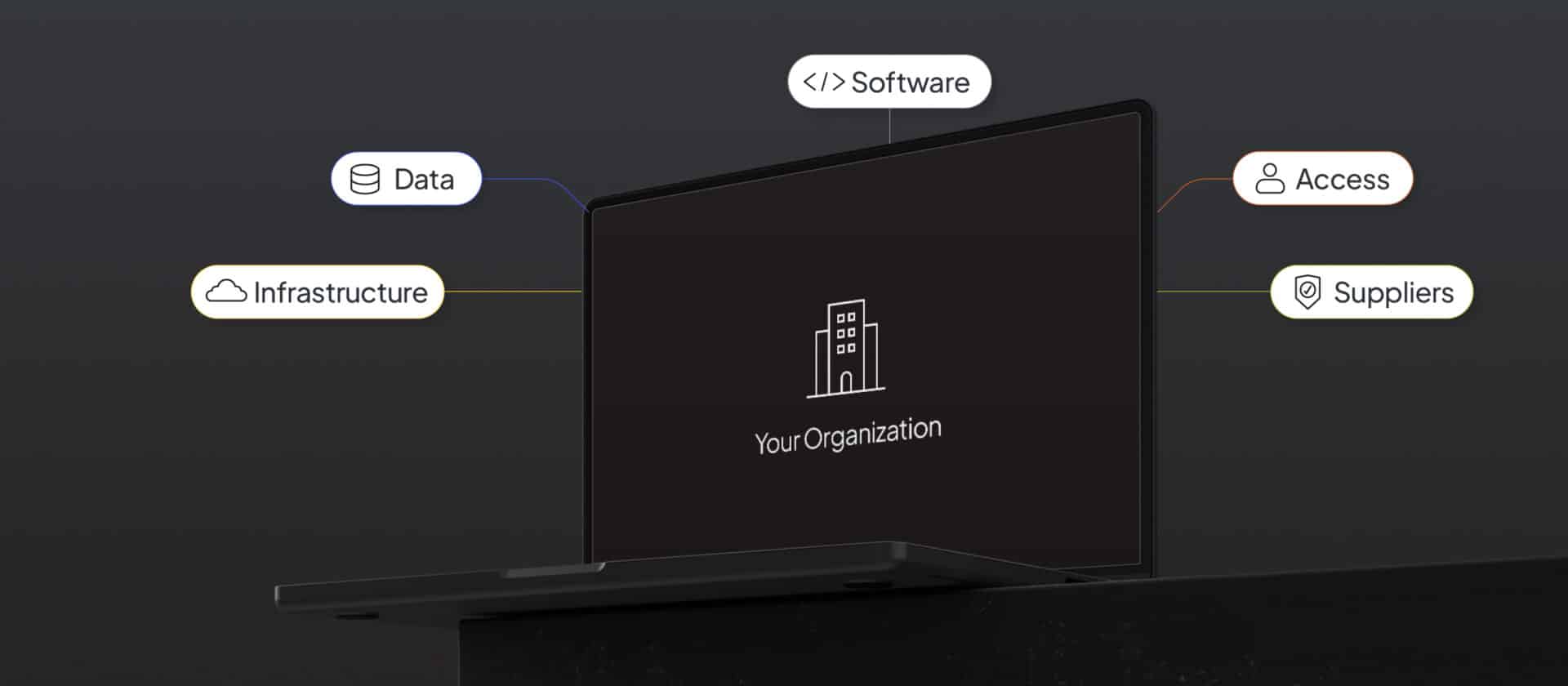
Digital Sovereignty in an Increasingly Dependent World
Digital sovereignty isn’t about removing third-party providers, but building an architecture that gives you the freedom to choose which providers you use.
Failed to submit:
one or more fields are invalid.